5 Signs Your Laptop Battery Is Failing
The warning signs, a two-minute health check, and when replacement makes sense.
Repair guide
How to tell a panel fault from a cable or board fault, when a new screen is the smart fix, and when the money is better spent on another laptop.
Quick answer
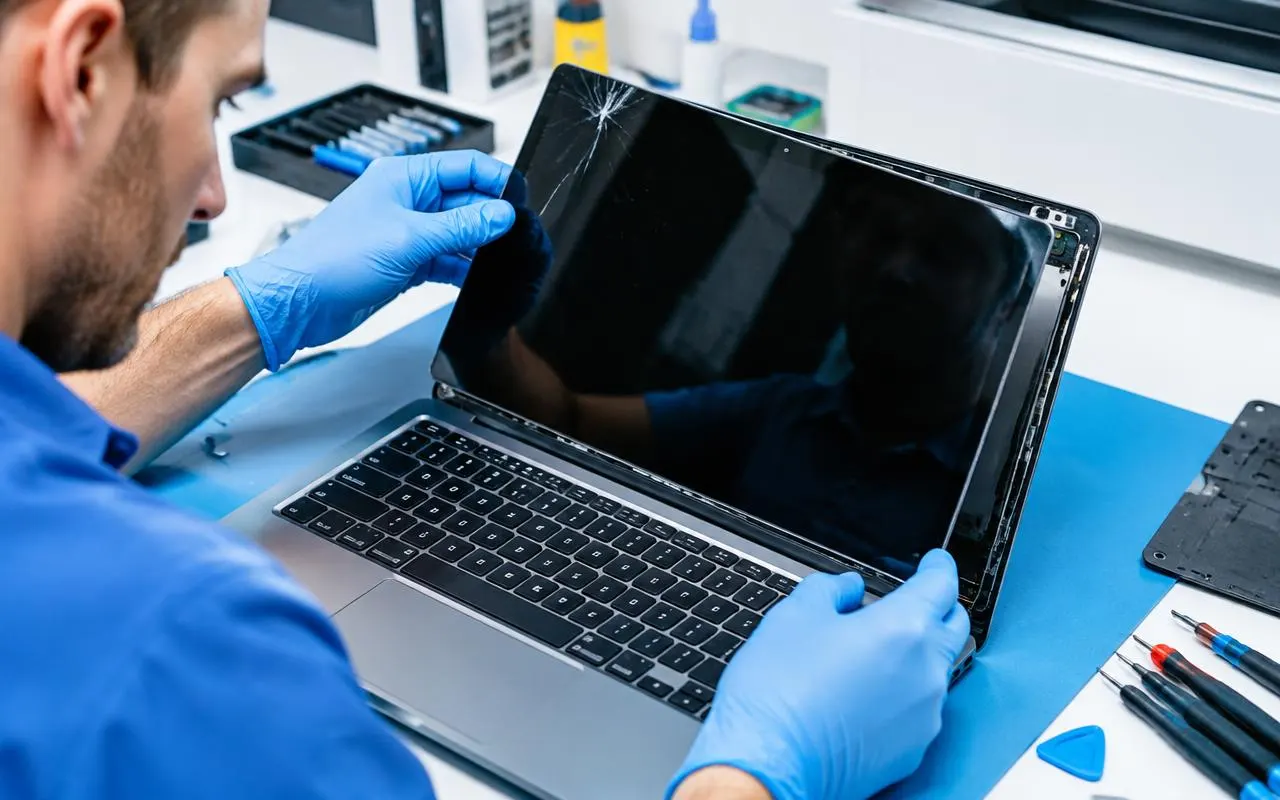
Replace the screen when the rest of the laptop is healthy, supports Windows 11 and a matching panel is available. Cracks and dead patches need a new panel, while flicker is often just a cable. Consider another laptop when it has other costly faults or the quote nears half the price of a comparable replacement.
A cracked or flickering screen can feel like the end of a laptop, but it rarely is. The display is a separate part, and on most laptops it can be swapped without touching your files, programs or settings. The real question is not “can it be fixed?” but “is fixing it the best use of my money?”
This guide shows you how to find out what is actually wrong, which screen problems are cheap to fix, when a new panel makes sense, and when you are better off putting the money towards another laptop.
Before you think about replacing anything, find out where the fault is. Two quick tests at home narrow it down.
Connect the laptop to a TV or monitor with an HDMI cable (or a USB-C adapter, if your laptop supports video over USB-C) and press Windows + P to choose “Duplicate”. If the picture on the external screen looks normal, the laptop’s graphics and motherboard are working, and the fault is in the display panel or its cable. If the external screen shows the same lines, odd colours or nothing at all, the problem is inside the laptop, not the screen.
If the screen stays black but you can hear the laptop start, shine a torch at an angle onto the display. If you can faintly see the desktop or icons, the panel is receiving a picture but nothing is lighting it up. That can be the panel itself, the display cable or the backlight circuit on the motherboard, so it needs a proper check before any part is ordered.
The symptom usually points to the likely culprit:
| Symptom | Likely cause | Usual fix |
|---|---|---|
| Cracks, spider-web lines or black “ink” patches | Physical damage to the LCD panel | New panel |
| Flickers or goes blank when you move the lid | Worn or loose display cable, sometimes the hinge | Cable or hinge repair, often no new panel |
| Lines or wrong colours on the laptop screen only | Panel or display cable | Check the cable first, then the panel |
| The same lines on an external monitor | Graphics chip or motherboard | Board diagnosis; not a screen job |
| Very dim picture, visible only under a torch | Backlight, cable or board circuit | Needs a check before ordering parts |
| Touch not working, or ghost touches | Touch layer (digitiser) or its connector | Touch layer or full assembly, depending on the model |
Swipe the table sideways to see every column
Software can cause screen trouble too. A display that flickers only in certain apps, or has the wrong resolution after an update, may just need an updated graphics driver from Windows Update or the laptop maker’s support site. It is worth trying that before you book a repair.
For a cracked or physically damaged display, the panel is replaced as a whole unit. The glass and the LCD layers are built together, so a crack cannot be patched reliably. The good news is that a new panel restores the display completely, and nothing else about the laptop changes.
A screen replacement is usually good value when:
The price depends mostly on the panel: its size, resolution, refresh rate, whether it is a touchscreen, and how common the part is. Our typical range is ₹500 – ₹5,000, and you get an exact quote for your model before any work starts.
Sometimes a screen repair is throwing good money after bad. Think twice if:
A useful rule of thumb: if the repair costs well under half the price of a comparable replacement and the laptop still meets your needs, repair it. If not, a checked refurbished laptop or a new laptop may be better value. We will tell you honestly which side of the line yours is on.
Even if you decide not to repair it, your files are safe. A broken screen does not affect the storage drive, and everything can be copied to your new machine.
Many cracked screens come from pressure rather than drops. A few habits help:
If your screen has already given up, our laptop screen repair service in North Dum Dum starts with a proper check (diagnosis: ₹300, adjusted in the repair bill), so you know whether it needs a panel, a cable or something else before you spend anything. Book a slot or WhatsApp us a photo of the screen with your laptop model.
Usually because the display cable that runs through the hinge is worn, loose or pinched. Moving the lid shifts the cable and interrupts the signal. This is often fixed by reseating or replacing the cable, without buying a new panel.
On some models it is possible with the right part and tools, but it is easy to order the wrong panel, tear the fragile display cable or crack the bezel, and many thin laptops have glued panels. If you are not confident, let a technician read the exact part number first.
Usually, yes. On many touchscreen laptops the touch layer (digitiser) is bonded to the display, so the whole assembly is replaced rather than one layer. The exact price depends on your model, and you get a quote before anything is ordered.
Yes, as a stopgap or if the laptop never leaves your desk. Connect a monitor, keyboard and mouse and the laptop works normally. Avoid pressing on the cracked panel, though, and remember a laptop without a working screen is hard to use anywhere else.
Often, yes. Opening and closing the lid, pressure in a bag and heat can make cracks spread and dark patches grow. It rarely harms the rest of the laptop, but it is best to get it checked before the damage reaches the cable or hinge.
Bring it in for a check. We tell you what is wrong, what it costs and whether it is worth it, with a 90 days on parts and labour warranty on any repair.