
Home & Study Desktop
- 4–6 core processor (Core i3 / Ryzen 3 to i5 / Ryzen 5 class)
- 16 GB RAM
- 512 GB NVMe SSD
- Wi-Fi and Bluetooth for a tidy desk
Call for latest price
Shop · Desktops
Home and study PCs, gaming rigs, office machines and professional workstations for editing, design and CAD. Tell us the software you use and we will size the processor, memory and graphics to it.
Quick answer
Pick a desktop by the heaviest task you will run. Study, browsing and office work need a 4–6 core processor, 16 GB RAM and an SSD. Gaming needs a strong graphics card. Video editing, 3D and CAD need a workstation: more cores, 32–64 GB RAM and a graphics card your software supports.
Desktop categories
Gaming and office desktops have their own pages with more builds and buying advice.
Desktop PCs
Choose a type to filter the builds. Every configuration can be adjusted to your budget.
Call for latest price
Call for latest price
Call for latest price
Call for latest price
Call for latest price
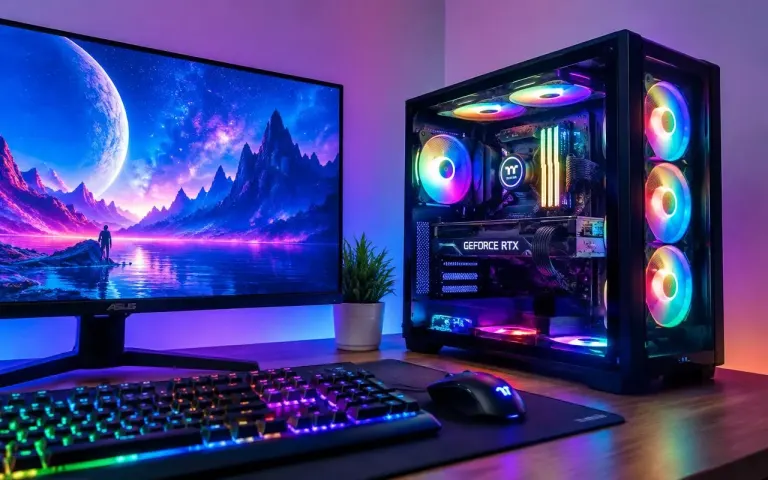
Call for latest price
Sample configurations to show each type. Exact parts, availability and price are confirmed when you enquire.
Workstations
A workstation is a desktop built for sustained professional work: more cores, more memory, a capable graphics card and cooling that stays quiet under hours of load.
An 8–12 core processor, a graphics card with a hardware encoder and 32 GB RAM keep 4K timelines smooth and exports quick. Put footage on a separate fast drive.
Modelling relies on high single-core speed. Some CAD programs only certify professional graphics cards, so we check your software's hardware list before recommending one.
Rendering uses every core or the graphics card, depending on the renderer. Plan 64 GB RAM for heavy scenes, plus strong cooling and a large power supply.
A fast processor, 32 GB RAM and a colour-accurate monitor matter more than a top graphics card for photo editing and graphic design.
Compiling code, running virtual machines and working with large datasets reward more cores and 32–64 GB RAM.
Error-correcting (ECC) memory needs a processor and motherboard that support it. Ask if your work cannot tolerate rare memory errors.
Buying guide
Four decisions make most of the difference.
List the programs you use every day and the heaviest one you use occasionally. That heaviest program decides the processor, memory and graphics card. Everything else is comfort.
Share the software list when you enquire and we will check its published system requirements with you.
Video exports and 3D rendering scale with core count. CAD modelling and most office software lean on fewer, faster cores. A balanced 8-core processor suits most mixed workloads.
If you mostly model in CAD, a very high core count adds cost without making the viewport faster.
16 GB is right for home and office use. Photo editing and 1080p video want 32 GB. 4K video, large CAD assemblies and 3D scenes benefit from 64 GB or more.
Leave free RAM slots so you can add memory later instead of replacing it.
Use a fast NVMe SSD for the system and programs, and a second drive for projects. A quality power supply and a UPS protect your work during power cuts and voltage dips.
Losing a project hurts more than any part failure. See backup & data recovery.
Compare types
Typical component classes for each type. We adjust every build to your software and budget.
| Type | Best for | Processor | Graphics | RAM | Storage | Upgrades |
|---|---|---|---|---|---|---|
| Home & study | Browsing, online classes, MS Office | 4–6 core | Integrated | 16 GB | 512 GB SSD | RAM, storage |
| Business & office | Billing, accounts, email, video calls | 6-core | Integrated | 16 GB | 512 GB SSD | RAM, storage |
| Compact mini PC | Small desks, reception, signage | 6-core mobile-class | Integrated | 16 GB | 512 GB SSD | Limited |
| Gaming | Modern games at 1080p to 4K | 6–8 core | 8–16 GB+ VRAM | 16–32 GB | 1–2 TB NVMe | GPU, RAM, storage |
| Creator workstation | Video editing, photo, streaming | 8–12 core | 12 GB+ VRAM | 32–64 GB | 1 TB + project drive | Full |
| CAD & 3D workstation | CAD, BIM, 3D rendering | High clock or 12–16 core | Checked for your software | 32–64 GB+ | 1–2 TB NVMe | Full |
Swipe the table sideways to see every column
Desktop questions
Short answers first. Ask us anything else in store or on WhatsApp.
See all FAQsBuy a desktop if you work at one desk: it gives more performance for the money, runs cooler and is easier to repair and upgrade. Buy a laptop if you need to carry it. See laptops & notebooks.
Often, yes. A gaming PC with an 8-core processor, a modern graphics card and 32 GB RAM edits 1080p and 4K video well. Heavy professional work benefits from more RAM and a dedicated project drive.
It depends on the software. Many CAD programs run well on a good consumer graphics card, while some certify only professional cards for full support. We check your software's certified hardware list before recommending one.
32 GB is a sensible start for editing and CAD. Choose 64 GB or more for 4K and 6K video, large assemblies or heavy 3D scenes.
Ask when you enquire. We can set up Windows, drivers and updates. Install your own licensed software, or bring the installers and licence details so we can help set it up.
We strongly recommend one. A UPS keeps the computer running through short power cuts so you can save your work, and protects it from voltage dips and surges.
New components carry the manufacturer's warranty, which we explain part by part when you buy. See our terms & warranty page for how claims are handled.
Keep exploring
Message us on WhatsApp or visit our shop in North Dum Dum to talk it through.