
Emergency repair
Liquid Damage Laptop Repair in North Dum Dum, Kolkata
Water, tea, coffee, juice or a soaking in the monsoon rain. Liquid keeps damaging the board long after the outside looks dry, so the sooner we open and clean it, the better the chance of saving it.
- Switch off, don't charge
- Quote before repair
- Warranty 90 days on parts and labour
Quick answer
Switch the laptop off straight away, unplug the charger and do not turn it on again to test it. Liquid causes corrosion on the motherboard even after the laptop looks dry, so bring it to us as soon as you can. We open it, clean the affected parts, check the board and quote before any repair.
- Switch it off. Hold the power button for about 10 seconds if it won’t shut down normally.
- Unplug everything. Charger, USB drives and cables. If the battery is removable, take it out.
- Drain it. Open the lid wide and stand it upside down like a tent, keyboard facing down, on a towel.
- Wipe the outside with a soft, dry cloth. Don’t shake it hard or tip it in different directions.
- Don’t switch it on or charge it to see if it still works. Power is what causes short circuits.
- Skip the rice, hairdryer, heater and sunlight. Rice doesn’t reach under the chips, and heat can warp parts and bake in sticky residue.
- Bring it in as soon as you can, and tell us what was spilled and roughly when.
Has liquid damaged my laptop?
Bring it in if any of these apply, even if it still seems to work.
- Water, tea, coffee, juice or a soft drink spilled on it
- Got wet in the rain or a monsoon leak
- Keys sticky, stuck or not typing
- Won't turn on after the spill
- Turns on but the screen stays black
- Shuts down or restarts on its own
- Keys typing by themselves or the touchpad acting up
- Burning smell, or stains under the keyboard
How does liquid damage repair work?
Open & inspect
We take the laptop apart and look for liquid, residue and corrosion on the board, keyboard and connectors.
Clean & dry
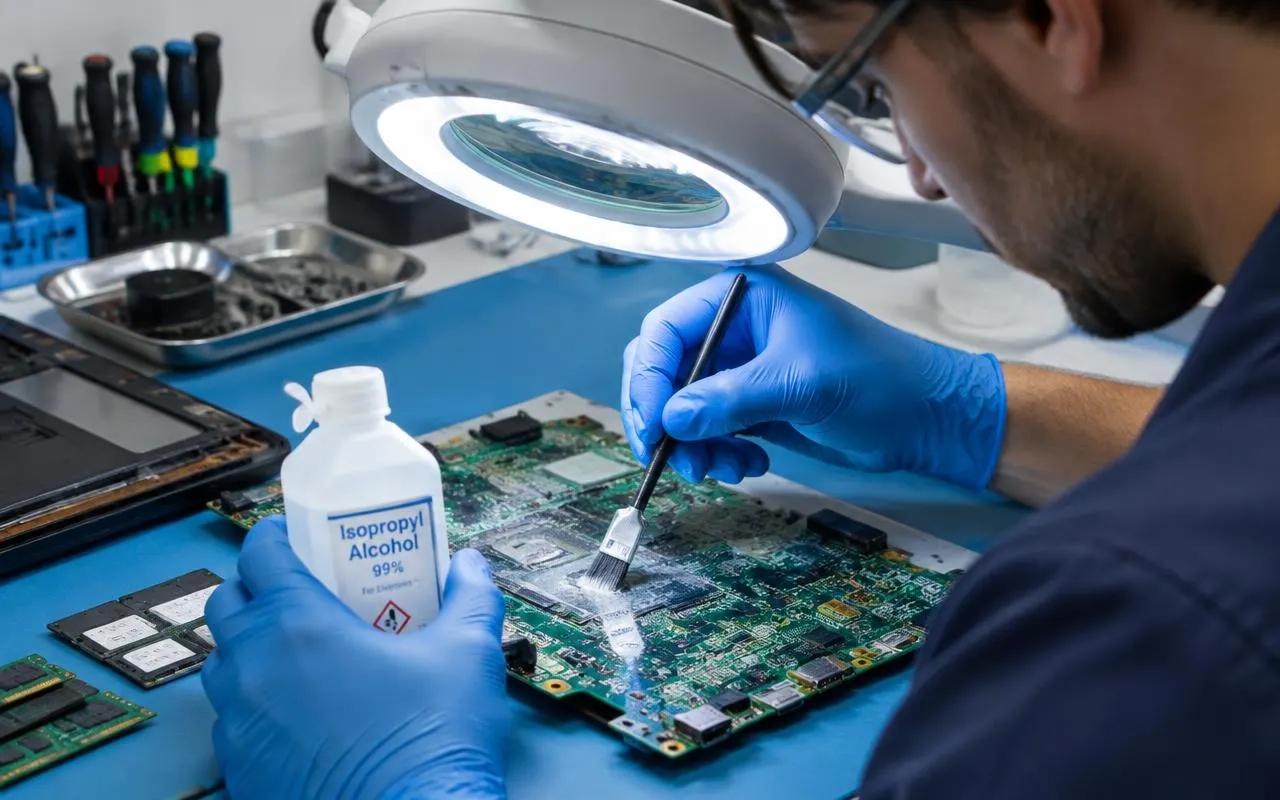
Affected parts are cleaned with suitable electronics cleaner to remove residue and stop corrosion spreading.
Test & quote
We test what works and what doesn't, then quote for the parts or board repair it needs.
Repair & hand over
After you approve, we repair, run a full test and hand it over with a written warranty.
What does liquid damage repair cover?
Strip-down & cleaning
Opening the laptop, removing residue and treating early corrosion on the motherboard and connectors.
Keyboard replacement
Sticky or dead keyboards, which often take the worst of a spill.
Motherboard diagnosis & repair
Finding shorted or corroded components and repairing them where it is practical.
Data rescue
Copying your files off the drive first, especially if the laptop itself can't be saved.
What we can't promise
- That every liquid-damaged laptop can be saved. Some boards are too corroded to repair economically, and we tell you if yours is one of them.
- Manufacturer warranty cover. Most standard warranties exclude liquid damage; check whether you have separate accidental damage protection.
- Cover for a fresh spill after our repair.
Does it matter what was spilled?
Yes. Tell us what it was, because it changes how much damage to expect.
| Liquid | Why it matters |
|---|---|
| Plain drinking water | Least harmful, but the minerals in it still cause corrosion if left inside. |
| Tea or coffee with milk and sugar | Leaves sticky residue that holds moisture against the board and jams keys. |
| Soft drinks and juice | Sugary and acidic, so they corrode connections faster. |
| Rain or flood water | Often dirty and full of minerals, so it conducts electricity more easily. |
How long does it take, and is there a warranty?
Turnaround
same day to 3 working days
Cleaning and diagnosis come first. Repair time then depends on the parts needed. Confirmed in your quote.
Related services
Liquid damage FAQs
What should I do immediately after spilling water on my laptop?
Switch it off, unplug the charger and any devices, remove the battery if you can, and stand the laptop upside down with the lid open so liquid drains out. Don't switch it on or charge it to test it. Then bring it in as soon as possible. The first steps above explain each one.
Does putting a laptop in rice work?
No. Rice only dries the surface; it can't reach liquid trapped under chips and inside connectors, where the corrosion happens, and it can leave starch and dust behind. It also costs time, which matters most in the first day or two.
My laptop works fine after the spill. Do I still need to get it checked?
Yes, we recommend it. Liquid left inside keeps corroding the board over days and weeks, and laptops that seemed fine often fail later. A clean now is usually far cheaper than a board repair after corrosion spreads.
Can a liquid-damaged laptop be repaired?
Often it can, but it depends on what was spilled, how much, whether it was powered on and how quickly it was brought in. We open and inspect it first, then tell you honestly whether repair is worth it.
How much does liquid damage repair cost?
It depends on what was damaged: a clean and a keyboard costs far less than a motherboard repair. After inspection we give you a quote, typically in the ₹500 – ₹5,000 range for common repairs, and you decide before we continue.
Will I lose my data after a spill?
Not necessarily. The storage drive often survives even when the motherboard doesn't. We can copy your files off first; see data recovery and backup.
Is liquid damage covered by my laptop’s warranty?
Usually not. Most standard manufacturer warranties exclude liquid damage. Some laptops come with, or can be bought with, accidental damage protection that does cover spills, so check your purchase documents.
Bring it in fast
Bring your laptop to North Dum Dum
Alvyntra9A, 2nd School Lane, North Dum Dum,
Kolkata, West Bengal 700065, India
- +91 98765 43210
- Mon–Sat 10:30 am – 8:30 pm
Sunday closed
Spilled something? Don't wait for it to dry.
Switch it off and bring it in, or WhatsApp us what was spilled and when.